


vidIQ for YouTube & Instagram
4.62.23K Reviews
App Specs
- Version
- 2.8.8
- Updated On
- License
- Free
- Downloads
- 5,000,000+
- Developer
- vidIQ
- Categories
- Video Players & Editors
- Platform
- Android
Screenshots
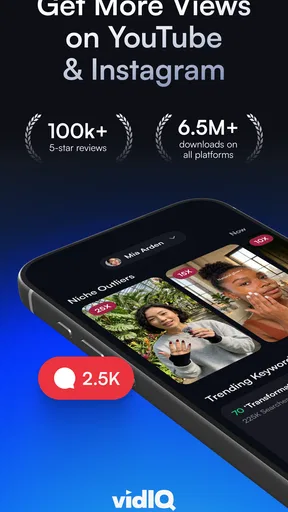
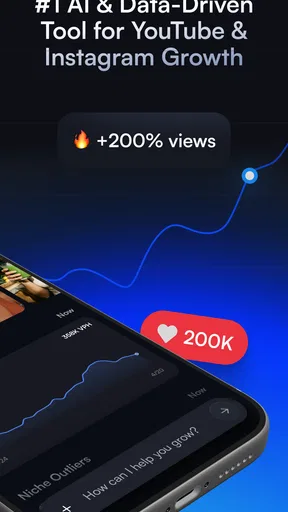
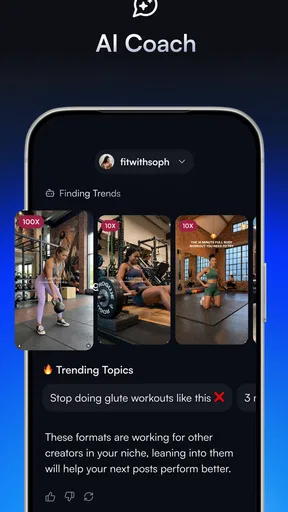
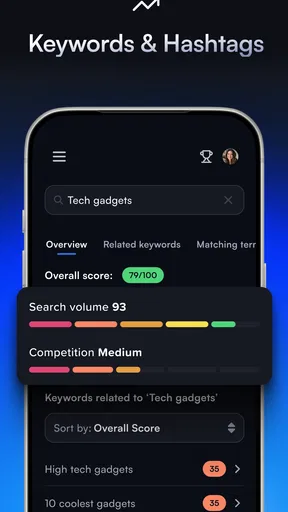

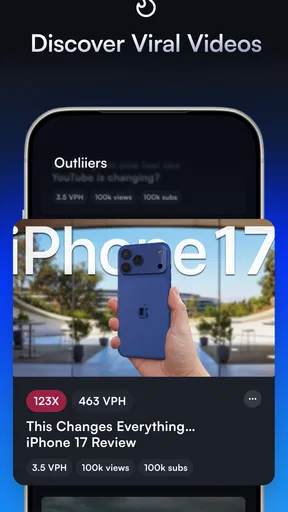
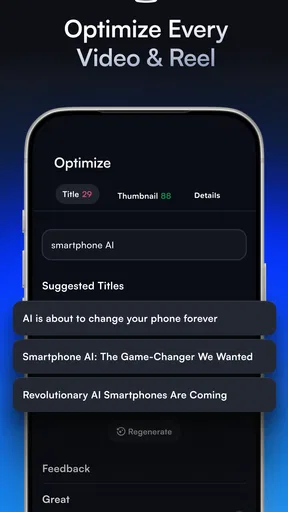
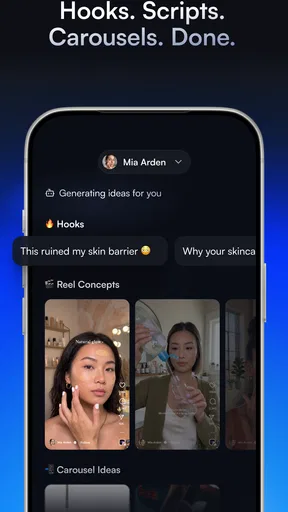
 Analysis by AppCompare
When I’m deciding whether a creator tool belongs in my routine, I ask a practical question: will it help me make a better publishing decision, or will it simply give me more numbers to check? vidIQ is most useful when I treat it as a planning companion for YouTube, not as a shortcut to views. Its ideas, keyword research and optimization guidance can help turn a vague video concept into a more deliberate plan, but the creator still has to make something people want to watch.
That distinction matters if you’re new to channel growth. Search suggestions and scores can help you compare possible topics, yet they cannot tell you whether you have a distinctive angle, a clear explanation or a strong opening. I’d use the app to narrow the options, then judge the idea against what I can genuinely produce and what my audience has responded to before. That keeps research useful rather than letting a score make the decision for me.
Choose it for planning, not magic results
The app is a free download in the video-player and editing category, developed by vidIQ, and its current version is 2.8.0. It has an average rating of 4.6 from around 371,000 ratings, with more than 5 million installs. Those figures suggest that it has found a broad creator audience, but they don’t guarantee that every tool will suit every channel or that using it will improve a video automatically.
For a small creator, the strongest reason to try it is having several YouTube-focused planning and optimization tools gathered in one place. Rather than bouncing between a notes app, search ideas and a separate checklist, I can use the app to think through a topic, possible title and ways to present the video. That can make the work before filming feel less improvised, especially when I’m publishing regularly and need a repeatable process.
A realistic use case is a creator with an hour after work who wants to plan a practical tutorial. I’d start with a few ways people might describe the problem, compare the keyword suggestions, and use that research to shape a title that says plainly what the video teaches. I’d then check that the thumbnail idea communicates the same promise. The useful outcome isn’t a guarantee of ranking; it’s a more coherent package before I spend time recording and editing.
Getting Started with vidIQ
Jumping into vidIQ is as easy as pie. Once you’ve got it installed, the interface is clean and intuitive. It feels like the app was designed with creators in mind, making sure that everything you need is just a tap away. I was up and running in no time, and I didn’t need a manual to figure out where things were. That’s always a win in my book!
Features that Make a Difference
Let’s talk features, because that’s where vidIQ really shines. First off, the keyword research tool is a goldmine. I’ve always struggled to find the right keywords, and this tool takes away all the guesswork. It offers suggestions based on what’s trending, competitor analysis, and even provides a score to help me decide which keywords will give my videos the best chance to rank.
Worth Reading Before You Choose

EA SPORTS FC Mobile 26 Is a Bigger Football Game, but It Takes Time

Flipboard Shows What News Apps Must Do Beyond the Feed

Switching to Android Auto Means Rethinking Your Driving Routine

Google Calendar Makes a Crowded Week Easier to Manage

Ludo King Makes the Most of the Minutes Between Plans

Baby Panda World Brings Quick Play to Modern Phones, but Its Game Library Feels Busy
One of my favorite features has to be the video optimization checklist. It’s like having a personal YouTube coach right there with you! It guides you through everything from creating compelling thumbnails to writing descriptions that drive engagement. And let’s not forget the real-time stats bar that shows views, watch time, and engagement metrics all in one place.
Community Insights and Analytics
Another aspect that I find incredibly useful is the community insights. It’s like having a backstage pass to what other creators in your niche are doing. You can see what’s working for them and maybe even get a little inspiration for your own content. Plus, the analytics provided by vidIQ go beyond what YouTube’s native analytics offer. You get a deeper understanding of your audience, which is crucial for any content creator.
Boosting Engagement with Ease
Engagement is key on YouTube, and vidIQ offers tools to help you maximize it. The comment management feature allows you to keep track of comments on your videos, making it easy to engage with your audience quickly. Plus, the app’s ability to track social media shares lets me see how my content is being shared across different platforms, which is a neat way to gauge interest.
Advanced Features for the Pros
For those who are ready to take things to the next level, vidIQ offers advanced features like competitor tracking and trend alerts. Imagine getting a heads-up when a trend relevant to your niche is about to pop off. It’s like having insider information that lets you stay ahead of the curve. The competitor tracking is a game of its own, allowing you to see what’s working for others and how you can adapt those strategies for your channel.
A Few Quirks to Consider
While vidIQ is packed with features, it’s not without its quirks. Occasionally, I find the app can be a tad slow, especially when loading detailed analytics. It’s not a dealbreaker, but something to keep in mind if you’re in a hurry. Also, some features are locked behind a paywall, but if you’re serious about growing your channel, the investment is well worth it.
How it fits beside other creator tools
The usual alternatives are YouTube’s own creator tools, general keyword or trend research, and a simple spreadsheet or notebook. I wouldn’t replace YouTube’s native analytics with a third-party view: the native tools remain the place I’d check when I need to understand my channel’s own performance. vidIQ’s appeal is bringing topic discovery, competitor context and optimization prompts into the planning process, where those tools can help me decide what to make next.
A spreadsheet can actually be the better choice for a creator who already has a dependable research method and only wants to track ideas, publishing dates or results in a format they control. Likewise, if I’m making videos casually and don’t need competitor comparisons or optimization reminders, adding another dashboard may be more work than value. This app makes the most sense when I’ll act on its suggestions; it is less compelling if I only open it to browse scores.
Build a workflow that avoids busywork
One useful way to keep the research grounded is to write down the viewer’s problem before looking at suggestions. I can then compare the app’s keyword ideas against that real need, rather than choosing a phrase simply because it appears promising. Once I have a topic, I’d draft the title and thumbnail concept together, then use the checklist to catch gaps. This avoids a common mismatch: a searchable title that promises one thing while the thumbnail suggests another.
For a channel with several recurring subjects, I’d also keep a short list of topics I can realistically produce and revisit it when trend alerts or competitor activity spark an idea. That makes trend information a prompt, not an instruction to chase every passing subject. A trend that doesn’t fit the channel can distract regular viewers, while a timely angle that connects naturally to the channel’s usual material may be worth exploring.
What the free start and paid tiers mean
The app is free to install, and the age rating is Everyone, so trying the basic experience is an approachable way to see whether its research style suits you. In-app purchases range from $9.99 to $199.99 per item, so I’d avoid assuming that every tool shown is included at no cost. Before paying, I’d identify the specific feature I expect to use repeatedly and decide whether it solves a real bottleneck in my workflow. A one-off curiosity is a weak reason to upgrade.
There is also a practical switching cost: any research habit takes time to build. If you already keep topic notes elsewhere, you don’t need to move everything at once. Try the app on a single upcoming video and compare the process with your usual method. If the suggestions help you make a clearer choice or the checklist catches something you would have missed, keep it in the routine. If it adds steps without changing your decisions, stick with the lighter setup.
Who should pass, and who is likely to benefit
I’d recommend giving it a try if you publish on YouTube consistently, feel stuck choosing topics, or want a more structured way to think about titles and packaging. It can also suit a creator who already understands their subject but wants competitor and trend context to inform planning. The key is to use its prompts as evidence to consider, not as rules that override your knowledge of the audience.
I’d skip it if you rarely upload, don’t want to spend time researching, or are looking for an app that edits footage or creates finished videos for you. It belongs to the planning, discovery and optimization side of the creator workflow, not the hands-on editing side. If your main challenge is filming, cutting clips or learning production basics, a video editor or a simple practice schedule is likely a better next step.
A Few Quirks to Consider
While vidIQ is packed with features, it’s not without its quirks. Occasionally, I find the app can be a tad slow, especially when loading detailed analytics. It’s not a dealbreaker, but something to keep in mind if you’re in a hurry. Also, some features are locked behind a paywall, but if you’re serious about growing your channel, the investment is well worth it.
In conclusion, vidIQ is like having a Swiss Army knife for YouTube content creation. Whether you’re just starting out or you’re a seasoned pro, it offers tools and insights that can help you grow your channel and engage with your audience more effectively. If you’re ready to take your YouTube game to the next level, I’d say give it a shot. You might just find it’s the missing piece you’ve been looking for!
Pros
- Boosts video SEO with keyword insights
- Offers detailed analytics and metrics
- Provides trending video alerts
- Helps optimize tags and descriptions
- User-friendly interface and navigation
Cons
- Some features require a premium plan
- Can be overwhelming for new users
- Occasional data sync issues reported
- Limited features on mobile version
- Requires YouTube account integration
FAQs for vidIQ for YouTube & Instagram
What is vidIQ and how does it work with YouTube?
vidIQ is a powerful tool designed to help YouTube creators optimize their channels and videos. It provides insights into video performance, SEO optimization tips, and competitor analysis. By integrating with your YouTube account, vidIQ offers analytics and suggestions to enhance your video visibility and engagement.
Is vidIQ available for both Android and iOS devices?
Yes, vidIQ is available for both Android and iOS devices. It offers a mobile app that allows you to manage your YouTube channel on the go. The app provides access to key features such as video analytics, channel statistics, and optimization suggestions, making it convenient to use anytime, anywhere.
Does vidIQ offer a free version, and what features are included?
vidIQ offers a free version that includes basic features like video analytics, trend alerts, and keyword research tools. While the free version provides valuable insights, upgrading to a paid plan unlocks advanced features such as competitor tracking, comprehensive SEO tools, and a more detailed analytics dashboard.
How can vidIQ improve my YouTube channel's performance?
vidIQ enhances your YouTube channel’s performance by providing data-driven insights and optimization tools. It helps in identifying high-performing keywords, understanding audience behavior, and tracking competitors. These insights enable creators to tailor content strategies, increase video visibility, and boost subscriber engagement.
Is vidIQ safe to use with my YouTube channel?
Yes, vidIQ is safe to use with your YouTube channel. It complies with YouTube’s terms of service and uses secure authentication methods to access your account. By using vidIQ, you maintain control over your channel while gaining access to tools that can amplify your content strategy and growth.


